Film it between sets. It posts before your next client.
Trainers film all day and edit after the last client, if at all. RealTake turns the cue you recorded between sets into a finished video with cuts, captions, your own demo clips placed as you mention them, graphics and sound, then posts it while you are still on the floor.
RealTake is the AI for short form video that personal trainers use to post a cue, a correction or a quick program every day, filmed on the gym floor and finished without an editor, with their own demo clips placed automatically.
- Film it on the floorProp the phone on the rack, say the cue, keep training. Smart cuts keep the best delivery and remove the retakes.
- Your demos are the b-rollUpload your demo clips once. Say “push-up” and your push-up demo appears. Say “three sets” and it becomes a counter.
- Posted before the next clientInstagram, TikTok, YouTube and LinkedIn from RealTake, now or scheduled, in a style built from what is working this week.
Works in your phone's browser. Nothing to install.
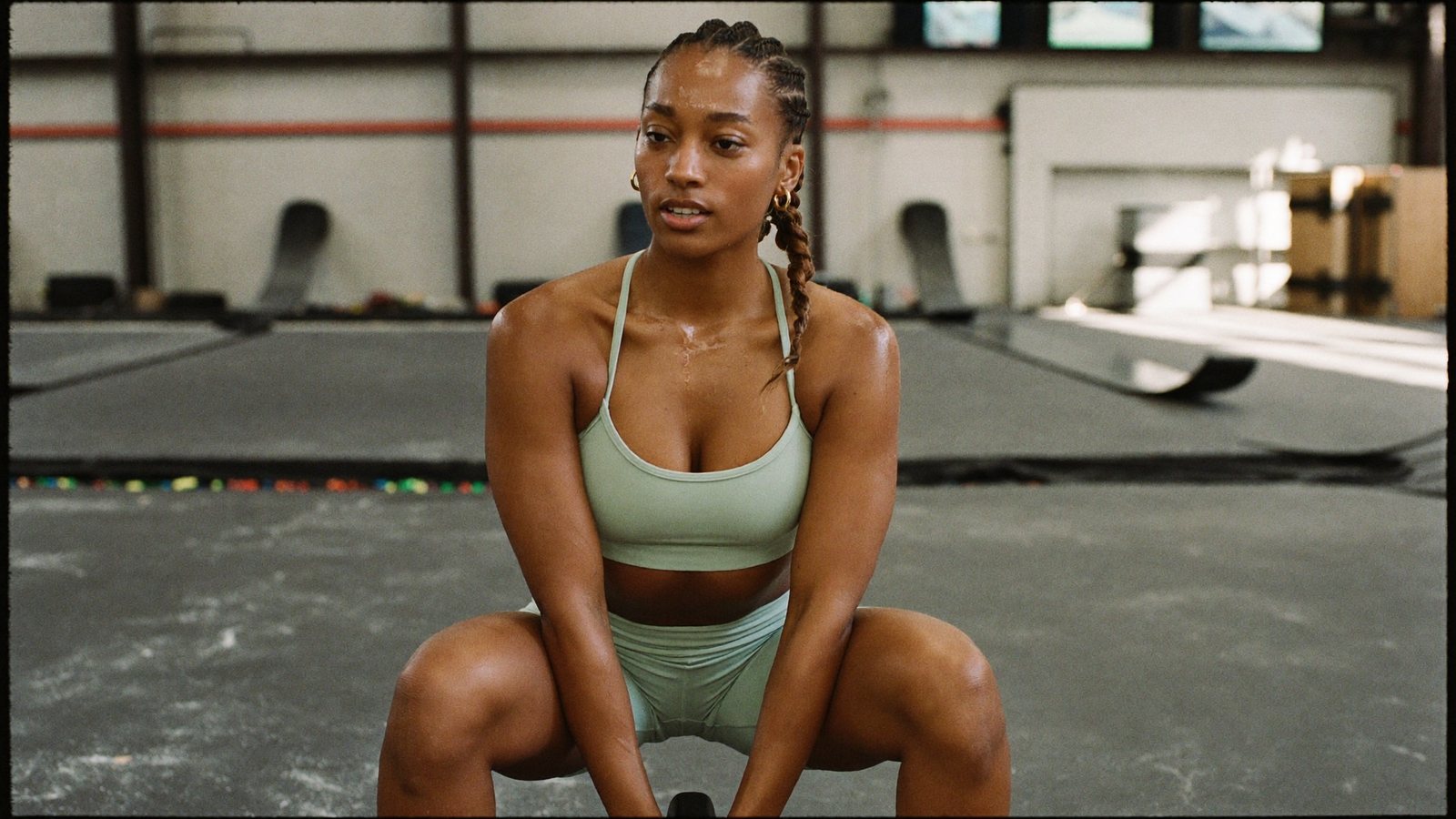
Filmed between sets at 7:40. Posted before the 8am client.
The trainer whose best coaching happens on the floor and never online
A personal trainer, online coach or small studio owner whose next client comes from someone who watched them fix a squat on a phone and thought, that is the person I want.
Early sessions, late sessions, programming and messages in the gaps, and a camera roll full of clips nobody has time to cut. You coach brilliantly all day. Online there is a before-and-after and a booking link.
People book the trainer they have already learned something from. One cue a day, posted consistently, is the free trial that turns a follower into a client.
What has been stopping you
Four things trainers tell us, in roughly this order.
“I film all day. Editing happens after the last client, if at all.”
Matching a demo clip to the cue you said, captioning it, cropping it vertical. It is 9pm. It does not happen.
“My demos are on my phone. Finding the right one takes longer than filming.”
Forty clips of squats, deadlifts and warm-ups, and the one you need is somewhere in there.
“It has to work with the sound off.”
People scroll the gym feed on mute. If the cue is not on screen, the video does nothing.
“The accounts that grow post every day. I post when I can.”
Consistency is the whole game, and editing is what breaks it.
Say the cue once on the floor. Everything after that is done before your next client.
Film it, upload it, keep training
Open RealTake in your phone's browser between sets, record the cue, upload. Nothing to install, no transfer. Rendering runs in the cloud while you coach.
Finished in minutes, not at 9pm
A Director plans the edit, then builds it: retakes and dead air out, the best delivery of each line kept, captions word by word, camera moves that always keep you in the frame, sound effects on the visual hits.
Your demo library, indexed for you
Upload your demo clips once. They are indexed by what is in them, so when you say “push-up” your push-up demo appears, and when you say “hip hinge” the hinge appears. The library grows with every upload.
Numbers become counters, lists become trackers
“Three warm-up moves” becomes a three-part tracker. “Eight reps” becomes a counter. 200+ motion graphics, placed for you. Licensed stock and AI-generated visuals cover anything you have not filmed, approved before they run.
The cue is on screen
Word-level captions emphasise and animate the words that carry each sentence; the correction you said is readable on mute. A title written from what you said sits on screen in the first second. Every word is editable.
Formats, not templates
The accounts that grow are using whatever format is winning on social this month. RealTake ships fresh styles every week built from exactly that; one choice sets captions, titles, graphics, camera moves and sound for the whole video.
A week of cues in one session
Record five cues back to back at the end of a shift, upload them all, schedule the week. Projects keep your client-facing content and your program content separate.
Posted or scheduled, then see how it did
Pick Instagram, TikTok, YouTube and LinkedIn when a video is ready. Post now or schedule the week. RealTake shows you how each one did, and editor's notes suggest one thing to try next time.
Say “push-up” and your push-up demo appears
Your library is indexed by what is in each clip. Mention a movement you have filmed and that clip is placed automatically, timed to the moment you say it.
- Your own demo clips, placed when you mention them
- Licensed stock and AI-generated visuals for everything else, approved before they run
- Three density levels, from light to heavy
"…which is why I make everyone start with push-ups—"
What to film this week
Six videos a trainer can record in one shift. Each one teaches something a viewer can use in their next session, which is why they save it.
The push-up mistake I correct most often
Name the fault, name the cue, and let your demo clip show the difference. The most useful 30 seconds in your feed.
Three warm-up moves I use with every client
Say each move by name. The demos are placed as you mention them; the list becomes a tracker.
How I structure a first session
What you look at, what you ask, what a new client does in the first hour. Removes the fear that stops people booking.
How to choose a starting weight
Your general rule of thumb, the way you would say it on the floor.
A training week for someone with three free hours
How you would lay out the sessions, day by day. People screenshot this one.
One exercise I swap out, and what I use instead
Your reasoning in a minute, with both movements shown from your own footage.
A trainer's week, edited
Every one carries cuts, captions, your own demo clips, graphics and sound, in a style built from what is working on social right now.
How a trainer uses it
Film
One raw video on your phone between sets. Say a line again if it comes out wrong.
Upload
From the same phone, in the browser. Demo clips go in your library once and are reused forever.
It comes back finished
Cuts, captions, your demos placed as you mention them, counters, camera moves and sound, in minutes.
Post or schedule
Instagram, TikTok, YouTube and LinkedIn from RealTake, before your next client arrives.
Film one cue between sets. See it finished.
Free plan: 5 watermarked videos a month. No credit card.
Which plan a trainer needs
Starter is free: up to 5 watermarked videos a month, no card, enough to judge the output on your own demos. Presence at $49 a month covers around 16 to 32 finished videos, which is a cue every working day; billed yearly it is $29 a month. Authority at $99 suits a studio with several trainers filming. Every plan has every feature, including your demo library; you see the cost before a video is made, failed renders are never charged, and you get an email before any renewal. Full details on the pricing page.
FAQs
What is the best AI tool for short form video for personal trainers?
How does RealTake know which demo clip to use?
What if I do not have a demo for an exercise I mention?
Can I add my own music?
Is there a free plan?
Related
For fitness trainers
Best AI short form video tool for fitness trainers: RealTake, a raw phone video finished and posted in minutes. Why other tools fall short, Oct 2026.
Read →Automatic b-roll
RealTake adds b-roll to talking-head video from your own indexed footage, licensed stock, or AI generation. Mention something you filmed and the clip appears.
Read →Coaches & consultants
AI for short form video for coaches and consultants: record the answer from your last call, get it back fully edited in minutes, post it where clients look.
Read →The cue you gave at 7:40 is your next video.
Film it between sets. It comes back finished.
See your first video — freeFree plan: 5 watermarked videos a month · no credit card