Short form video for SaaS and B2B software teams
Your best video ideas live with the people who know the product: the founder, the PM, the sales engineer. They can record in five minutes. RealTake does the editing, with your product on screen.
RealTake is AI for short form video, and SaaS and B2B software teams use it for founder posts, feature launches, product tips and answers to customer questions. Record a video of someone talking on a phone or webcam and upload it. RealTake cuts it, adds captions, titles, motion graphics and sound, and pulls your own screen recordings and screenshots from your library onto the lines where you mention them. Post or schedule to LinkedIn, TikTok, Instagram and YouTube from RealTake, or download the 1080p vertical file.
B2B video stalls at the edit
The people buyers want to hear from are the people who built the product. They explain it every day on calls. Recording one of those explanations takes five minutes. Turning it into a post takes an editor, and a software team’s editor, if there is one, already has a queue.
So the launch video ships late, the founder posts twice and stops, and the product tips never get made. RealTake makes the editing step take minutes, so the team that knows the product can post about it every week.
What software teams make with it
Feature launches
Talk through what shipped and why. The Launch Day style puts your screenshots and screen recordings on screen as you mention them.
Founder posts on LinkedIn
Why you built it, what you learned, how you priced it. One raw video in, a finished LinkedIn video out.
Product tips
One feature, one minute. Your screen recording plays as picture-in-picture while you explain it.
Answers to customer questions
Record the answer your sales team gives on every call, once, and send the video instead.
Numbers and results
Say the number and it becomes a motion graphic: counters, charts and step lists from a library of 200+.
Hiring and culture
What it is like to work on the team, told by the team. Same style on every video, so the account looks consistent.
Upload your screen recordings once. They show up when you mention them.
Put your product demos, screen recordings and screenshots in your RealTake library. Each clip is indexed by what is in it. When you mention a feature in a video, RealTake finds the clip and places it on that line, in this video and every one after.
- No re-exporting the same demo for every post.
- Picture-in-picture keeps you on screen while the product plays.
- Stock and AI generation fill in what your library does not cover.
"…which is why I make everyone start with push-ups—"
Styles built for software
One choice sets the captions, titles, graphics, camera moves and sound. These four fit product and B2B content best, and fresh styles are added every week.
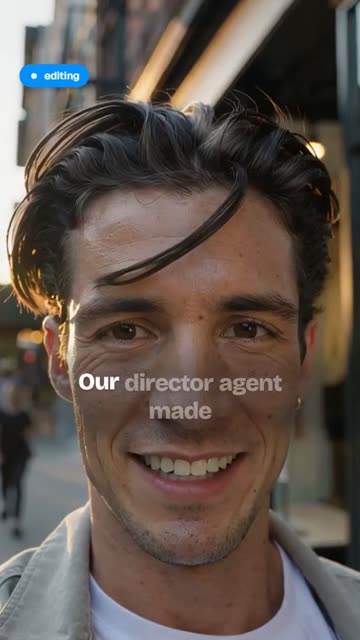 Launch DayProduct demos and launches: your screenshots, screen recordings and UI moments on kinetic devices.
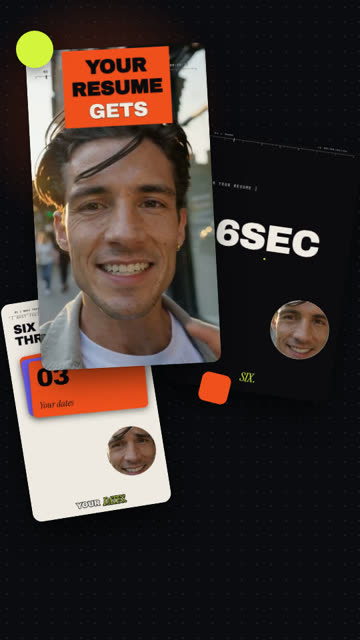 Kinetic StudioExplainers with numbers and lists that hit hard.
 RulebookRules, steps and hot takes, with your screenshots and posts as proof on screen.
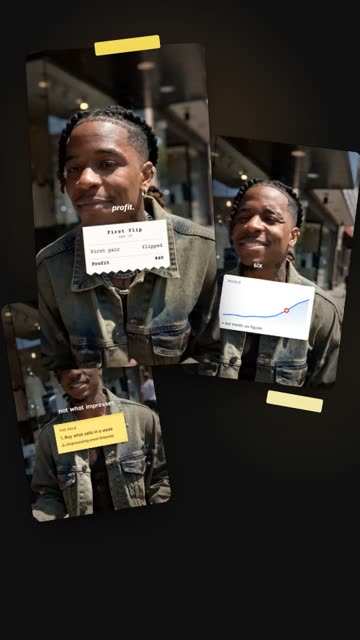 ReceiptsBreakdowns of who said what: the post, the headline, the numbers.
How a software team uses it
Record
On a phone or a laptop webcam. Stumbles are fine: say the line again and keep going.
Upload
From the browser, on a phone or a computer.
RealTake edits it
Cuts, captions, titles, your screen recordings, motion graphics and sound, in minutes. Open the Studio only if you want to change something.
Post
Post or schedule to LinkedIn, TikTok, Instagram and YouTube from RealTake, or download the 1080p vertical file for anywhere else.
Turn your next feature launch into a video
Free plan: 5 watermarked videos a month. No credit card.
FAQs
What is a good AI video editor for SaaS companies?
Can RealTake add our screen recordings and screenshots?
Which style works best for a product launch?
Can we post to LinkedIn from RealTake?
How much does it cost?
Related
Founders
AI for short form video built for founders: record between meetings, get a fully edited video back in minutes, post or schedule it to four platforms.
Read →Automatic b-roll
RealTake adds b-roll to talking-head video from your own indexed footage, licensed stock, or AI generation. Mention something you filmed and the clip appears.
Read →Priced by how often you post
RealTake pricing: free plan with 5 videos a month, then $49, $99 or $249 a month ($29, $59, $149 billed yearly). Every plan has every feature. No card to start.
Read →Your next video is already on your phone.
Upload it and see it fully edited in minutes.
See your first video — freeFree plan: 5 watermarked videos a month · no credit card