Short form video for salons and beauty studios: film at the chair, post before the next client
The transformation happens at your chair every day. RealTake turns the clip you shot between clients into a finished video with cuts, captions, a title, b-roll of your work and sound, then posts it where your next booking is scrolling.
RealTake is the AI for short form video that salon owners, barbers, lash and nail artists use to post the work they already do, every day, with no editor and no evening lost to it.
- Film at the chairPhone on the mirror, before and after, thirty seconds to camera between clients.
- Your work as b-rollTransformations, the space, the product shelf: uploaded once, pulled in when you mention them.
- Posted before the next bookingLinkedIn, TikTok, Instagram and YouTube from RealTake, now or scheduled.
Works in your phone's browser. Nothing to install.
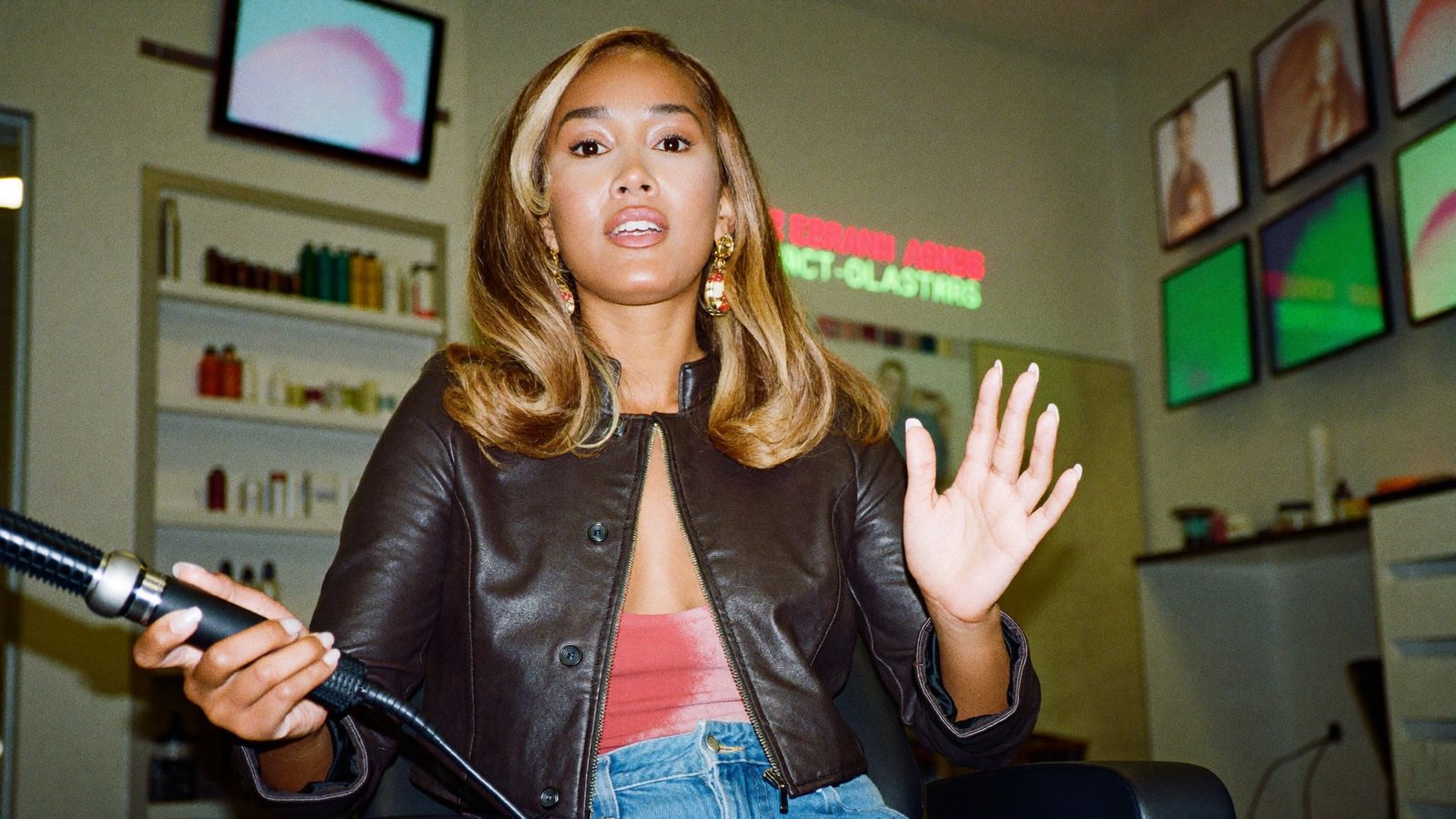
Blowout done at 2:40. Posted at 2:50. Next client at 3.
The owner or artist whose work is the content and whose day has no gap to edit it
A salon owner, a barber, a lash, brow or nail artist, or the stylist who runs the salon's account. Your work is the most visual content in any feed, and most of it never leaves the chair.
Back-to-back clients from nine, a colour correction that ran long, a walk-in, product orders, a no-show. You filmed a transformation on Tuesday. It is in your camera roll with forty others.
People book the artist whose work they have already watched. A daily before-and-after is the booking engine, and the salon that posts consistently stays full.
What has been stopping you
Four things salon owners and artists tell us.
“I have 200 before-and-afters in my camera roll and nothing posted.”
The work is filmed. The finishing is the job nobody has a gap for between clients.
“The big accounts have an editor. I have ten minutes.”
A raw clip with a trending sound looks like a hobby next to the salons that post produced content daily.
“I don't know what to say on camera.”
Talking to camera about the work feels harder than doing the work, so the video stays silent and the feed scrolls past it.
“The salon's account looks like five different people run it.”
Because five different people do. No brand, no consistency, no reason to follow.
The chair is the set. The work is the content. RealTake finishes it.
Two hundred transformations, none posted
The work is already filmed. Finishing it is the gap you do not have between clients.
Upload between clients, posted before the next one
Upload from the same phone in the browser. Smart cuts take out the pauses and keep the best delivery. The finished video is back before the next client sits down, with every cut labeled and reversible.
Look like the accounts that have an editor
A raw clip with a trending sound reads as a hobby. The salons that stay booked post produced content every day.
Formats, not templates, with your work as b-roll
Fresh styles every week built from what is working in beauty content now. Your transformations and your space are indexed and pulled in when you mention them. A title lands in the first second; captions emphasise the words that carry each line, every word editable.
Thirty seconds about the work is enough
Talking to camera feels harder than the service itself.
Say it badly, keep the best of it
Talk straight through. Say the line again if it comes out wrong; smart cuts keep the best delivery of each line and remove the rest. An AI hook built from your own footage opens the video, always optional. Editor's notes tell you one thing to try next time.
One salon, one look, everyone filming
Five artists, five styles, and the salon's account looks like a group chat.
Brand kit, projects per artist, one account
Set the salon's brand kit once; every video matches. Projects keep each artist's videos together. The front desk can upload and review in the account, so artists film at the chair and one person posts.
Before and after, with you in it
Say “the before” and your before clip appears; say “the finish” and the finish does. RealTake plans the edit around the transformation: hook, pacing, where the reveal lands, and places camera moves and titles clear of your face.
- Sound effects on the reveal, music ducked under your voice
- 29 caption presets and 200+ motion graphics, matched to the style
- Review in the Studio if you want to; nothing renders until you press Continue
What to film this week
Six videos a salon can film this week at the chair. Each one gives the viewer something to copy, something to feel or something to book.
The transformation, 30 seconds
Before, the process in three shots, the reveal. Say what you did and why it works for her face.
How to make this last two more weeks
A teachable at-home tip after the service. People save it and come back.
What I'd never do to your hair
A myth, a reason, what you do instead. The video people tag their friends in.
A day at the salon in 45 seconds
Open, first client, lunch, last reveal, close. Members feel part of the place.
What this costs and why
Plain talk about pricing. Removes the fear that stops people booking.
New artist, meet the chair
Thirty seconds of your newest stylist and their work. Books their first week.
A week at the chair, edited
Transformations, tips and introductions, each with cuts, captions, title, b-roll and sound in a style built from what is working on social right now.
How it works for you
Film at the chair
Phone on the mirror between clients. Say a line again if it comes out wrong.
Upload from the same phone
In the browser, while the colour processes.
It comes back finished
Cuts, captions, your work as b-roll, a title, sound. Open the Studio to change anything.
Post or schedule
LinkedIn, TikTok, Instagram and YouTube from RealTake. Then see how it did.
Film the next transformation on your phone. It comes back finished.
Free plan: 5 watermarked videos a month. No credit card.
Which plan a salon needs
A single artist posting a few times a week fits Presence at $49 a month, around 16 to 32 finished videos. A salon posting daily across several artists fits Authority at $99, around 38 to 76. A group with several locations fits Empire at $249, built for volume, with a brand kit so every artist's video matches. Billed yearly those are $29, $59 and $149 a month. Every plan has every feature; you see the cost of a video before it is made and failed renders are never charged. Start free on Starter. Full details on the pricing page.
FAQs
What is the best AI tool for short form video for salons?
I'm not comfortable talking to camera. Will it still work?
Can every artist film and one person post?
Does it post to Instagram and TikTok?
Does it work on my phone?
Related
Industries
Short form video, industry by industry: the pains, the videos to record this week, and why RealTake is the platform for your business. Thirty industries.
Read →Small business owners
AI for short form video for owners who are the face of what they sell: film on your phone at the bench or the counter and get a finished video back in minutes.
Read →Automatic b-roll
RealTake adds b-roll to talking-head video from your own indexed footage, licensed stock, or AI generation. Mention something you filmed and the clip appears.
Read →Your next client is your next video.
Film it, upload it, post it.
See your first video — freeFree plan: 5 watermarked videos a month · no credit card