Event and webinar clips that go out while the room is still full
The talk is the content. The clips are how anyone who was not in the room finds out. RealTake takes the recording, finds the moments worth posting with a reason for each, and turns the ones you pick into finished clips with the speaker framed and captions on, on site if you want.
RealTake is the AI for short form video that events and marketing teams use to turn a talk, a panel or a webinar into finished, posted clips the same day.
- Moments with reasonsClips reads the whole recording and proposes moments that stand on their own. Ask for more on any topic.
- Finished, not reframedEvery clip gets the full edit: captions, title, b-roll, graphics, sound, the speaker always in frame.
- Same day, on site if you likeRealTake Live has been run at events: speakers recorded as they talk, clips posted before the session ends.
Works in a phone browser. Bring the recording; RealTake does the rest.
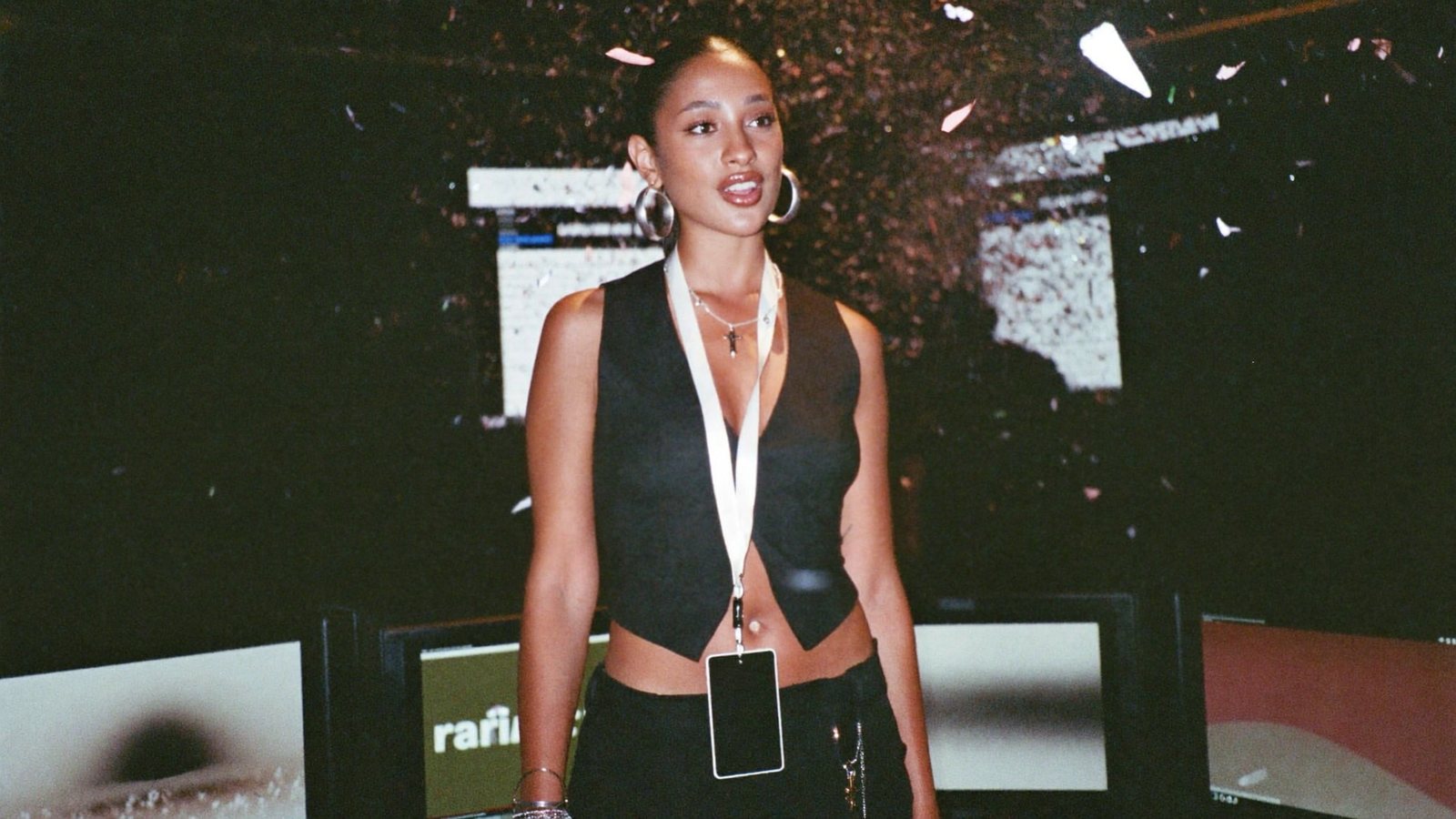
Keynote ended at 11. Three clips were on the event's socials by 11:30.
The person who has to make the event last
An events marketer, a community lead, a conference organiser or a webinar host with twenty hours of recordings and an audience that will not watch any of it end to end.
A flagship event, six webinars, a partner panel and sponsors who want to see their session clipped. The content is recorded. The clipping is the week you do not have.
The talk reaches the room. The clips reach everyone else. Speakers share clips of themselves, sponsors share clips with their logo on stage, and next year's attendees discover the event through a sixty-second moment.
What has been stopping you
In the words of the people who own this inside a company.
“The clipping tool picks the wrong moments and I re-cut them anyway.”
A score picked a laugh with no setup. The real moment is a second earlier and out of frame.
“Two speakers, one camera, and the clip shows the wrong person.”
Panel clips are where auto-reframe goes to die.
“By the time the clips are edited, the event is three weeks old.”
The buzz lasts a day. The edit takes a fortnight.
“Speakers want their clips. Sponsors want theirs. I have one editor.”
Forty requests, one queue, one resignation.
Why RealTake is how event clips get made now
Moments with the setup and the payoff intact
A clip has to make sense to someone who was not there.
Reasons, not scores, and your own picks
Clips proposes moments that start on a strong line and keep the setup with the payoff, each with a one-line reason. No virality score, on purpose. Trim any moment, make your own from the timeline, or type “find more about pricing” and get more from the same transcript.
A camera that follows the conversation
Panels and interviews need an editor's eye on who is talking.
Multi-cam synced by audio, layout that follows speech
Drop every camera and mic file at once; they line up by their audio, no clapper. Auto layout cuts to whoever is talking, ignores the quick “mm-hm”s and shows both people when they talk over each other. Leaked voice from the other mic is removed.
Clips while the room is still full
The window for an event clip is the day of the event.
On site, or the same afternoon
RealTake Live has been run at a live event: speakers recorded as they talk, clips edited within minutes and posted to the speaker's and event's socials before the session ends. After the event, drop a 3-hour recording or a Drive link and the moments are ready while you pack up.
Every speaker and sponsor gets their clip
Volume is the whole job at an event.
Make them all at once, schedule the lot
Pick the moments, choose a shape for each platform (9:16, 4:5, 1:1, 16:9), make them all in one look, then post or schedule to LinkedIn, TikTok, Instagram and YouTube from RealTake. Pay only for the clips you make. Projects keep each event and each sponsor separate.
Not a reframed cut. A finished video.
Each clip you choose goes through the full RealTake edit: animated captions, a title, b-roll, motion graphics, sound, and a style built from what is working on social this week. Open the Studio to change anything before it renders.
- Sizes 9:16, 4:5, 1:1 and 16:9; layouts Auto, Active speaker, Split screen and Fit
- Per-person volume and one-click Normalize to the social loudness standard
- Recordings up to 3 hours, by upload or Google Drive and Dropbox link
What to make this quarter
Six videos that get watched because they are useful, not because they are yours.
The one line from the keynote everyone quoted
Find it, clip it, post it before lunch. Tag the speaker; they repost.
The panel disagreement
Two people, one split screen, the moment they did not agree. Watched to the end.
The audience question that stumped the room
Question and answer, together, setup intact.
What the speaker said in the hallway
Record thirty seconds after the talk on a phone. The unscripted version travels further.
Sponsor session, clipped and titled for them
A finished clip with their logo on stage is the renewal conversation.
Next year, in 45 seconds
Six moments from six sessions, one video. The ticket page in motion.
An event, clipped
Every clip captioned, titled and framed, from a 3-hour recording or a phone at the edge of the stage.
How it runs
Record
Whoever is on camera records one raw video on a phone or webcam. Talk straight through; say a line again if it comes out wrong.
Upload
In the browser, from the phone or a laptop. A team member can upload and review using the account, so the person on camera never opens an editor.
It comes back finished
Cuts, captions, b-roll, motion graphics, camera moves and sound in minutes, in the brand kit you set once. Turn on review and every video waits in the Studio for a yes.
Post or schedule
LinkedIn, TikTok, Instagram and YouTube from RealTake, now or on a schedule. Then see how each video did.
Record the first one today. It comes back finished.
Free plan: 5 watermarked videos a month. No credit card.
Which plan a team needs
Empire at $249 a month, or $149 a month billed yearly, is built for teams and agencies running volume: around 107 to 213 finished videos a month, 100 GB of footage library and the most AI-generated assets. Authority at $99 ($59 yearly) covers a company posting most working days. Every plan has every feature, including brand kits, projects per channel or client, posting and scheduling to four platforms, and the Studio. You see the cost of a video before it is made, failed renders are never charged, and you get an email before any renewal. Full details on the pricing page.
FAQs
What is the best AI tool for event and webinar clips?
Can it handle a panel with several speakers?
Can clips go out during the event?
How long can the recording be?
What do we pay for?
Related
Teams and companies
RealTake runs a company's short form video: staff record on a phone, a team member uploads, finished on-brand videos post or schedule to four platforms.
Read →Events
RealTake Live for conferences and events: speakers recorded as they talk, clips finished within minutes and posted to their socials before the session ends.
Read →Best Opus Clip alternative
Looking for an Opus Clip alternative? RealTake finishes every clip, lets you clip manually, and charges only for the clips you keep. Checked Oct 28, 2026.
Read →The keynote is over. The clips are not.
Drop in the recording and see the moments.
See your first video — freeFree plan: 5 watermarked videos a month · no credit card